How to add your V1CE link to your social media bios

To add your V1CE link to your bios, open My page, then Pages and Sharing. Find Social media bios and press Add, choose Add to Instagram, paste the copied link into Instagram's Links, then repeat for LinkedIn or any other site.
| Time needed | 1 minute |
|---|---|
| What you need | Your V1CE account and your Instagram or LinkedIn login |
| Where in the app | My page > Pages > Sharing > Social media bios |
Video transcript and chapters
Chapters
0:00 Introduction
0:14 Open Sharing
0:21 Add Social media bios
0:24 Add to Instagram
0:38 Confirm you've added it
0:42 Add another bio
0:48 You're done

Transcript
Here's how to add your V1CE link to your social media bios.
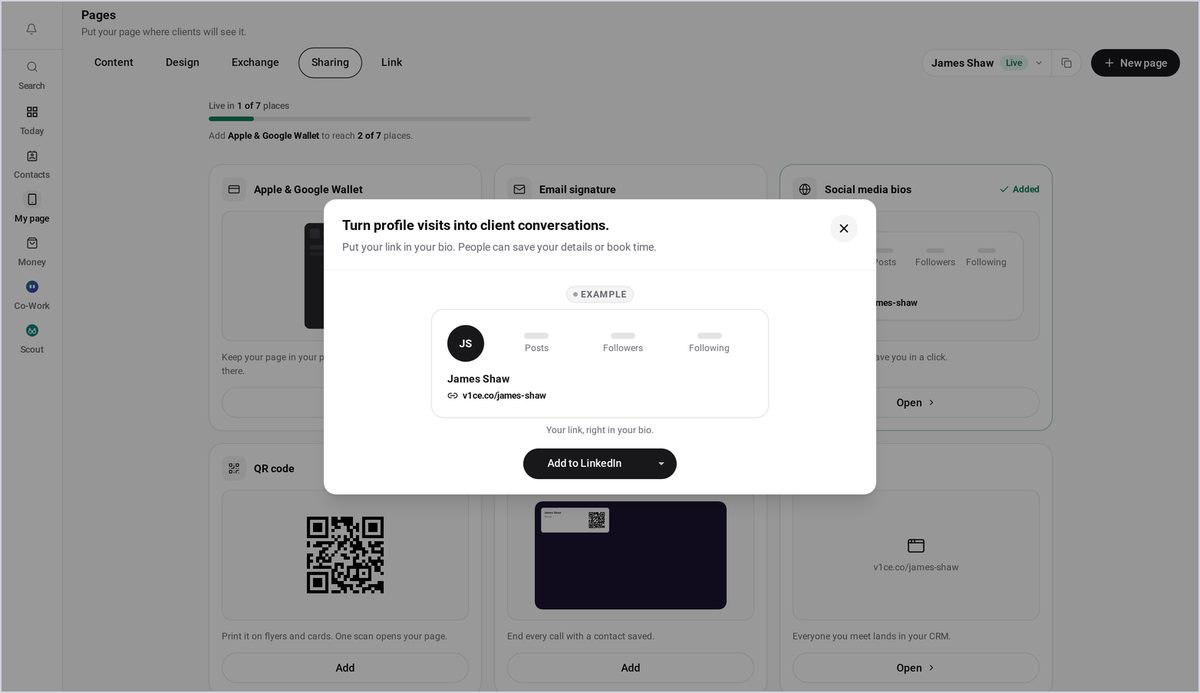
Put your link in your bio and every profile visit can turn into a client conversation.
We'll start with Instagram, then repeat for other sites.
From my page, open Pages, then select Sharing to see every place you can use your link.
Find social media bios and press Add.
Choose where to add your link. Start with Add to Instagram.
Your link is copied for you. Press Open Instagram.
In Instagram, choose Links, then paste your link in.
Press Done to save.
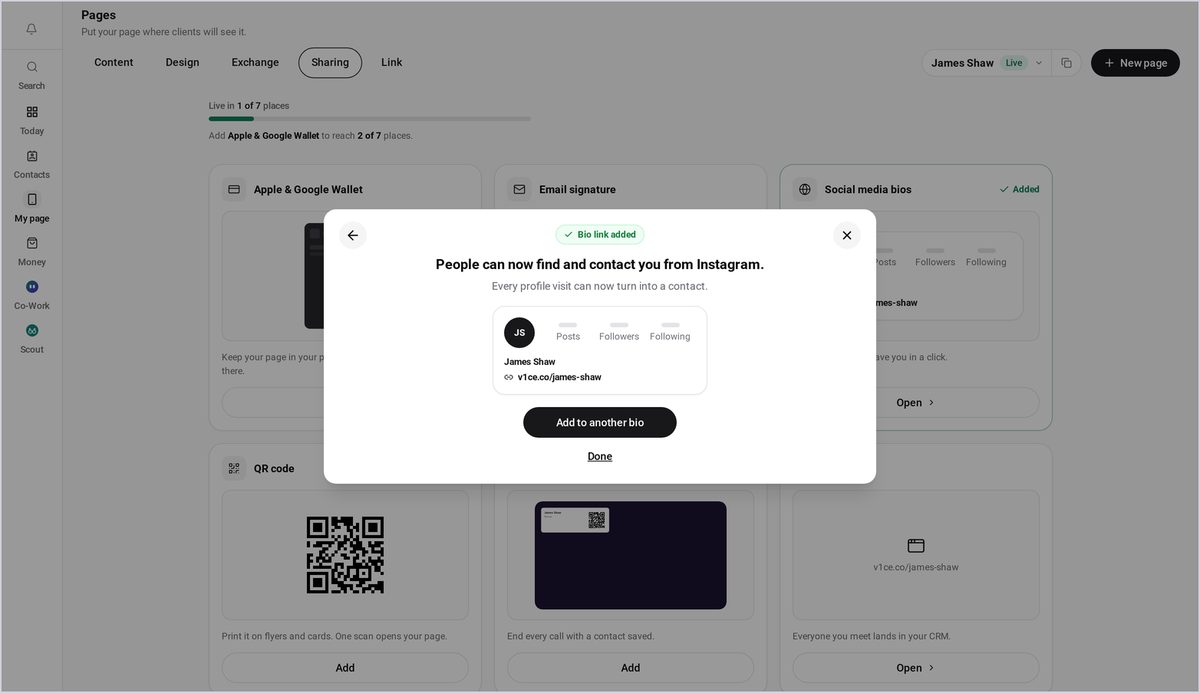
Back in V1CE, press I've added it.
Now repeat it for another site.
Press Add to another bio and choose Add to LinkedIn.
That's it. Your link is in your bio, ready for new visitors.
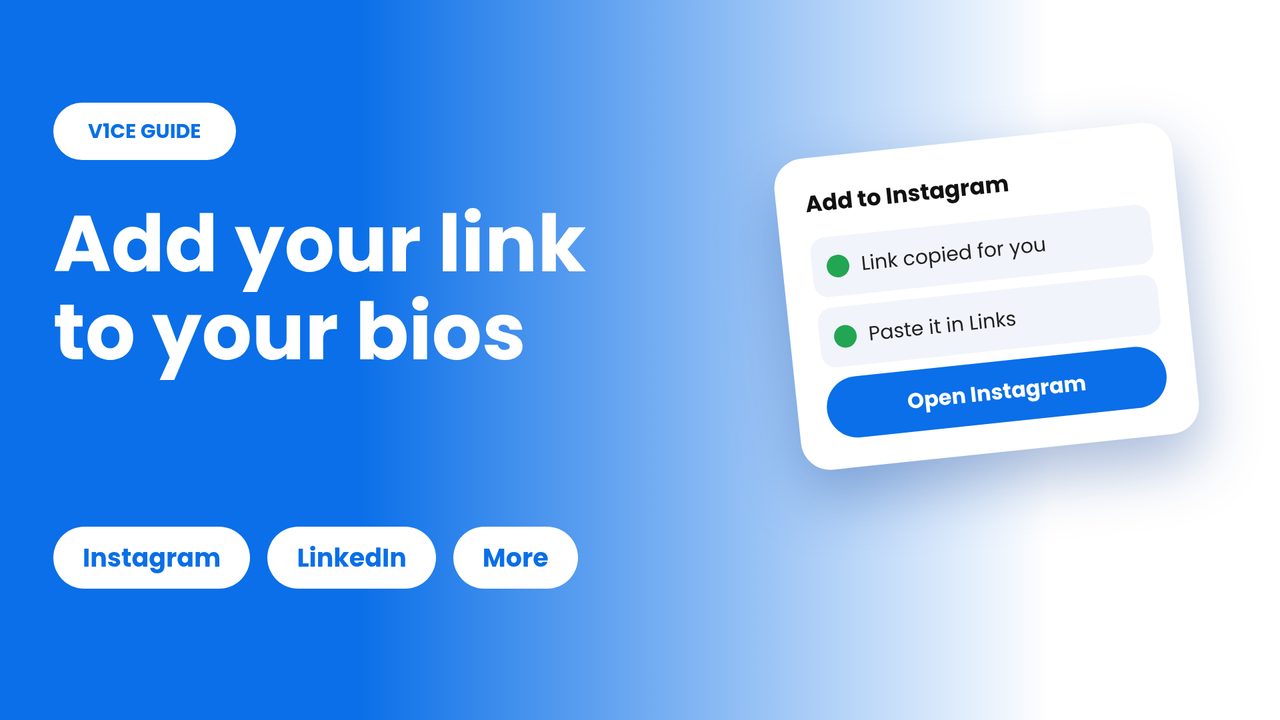
Put your link in your bio and every profile visit can turn into a client conversation. We start with Instagram, then repeat for other sites.
Watch the video
Step 1: Open Sharing
From My page, open Pages. Then select Sharing, to see every place you can use your link.
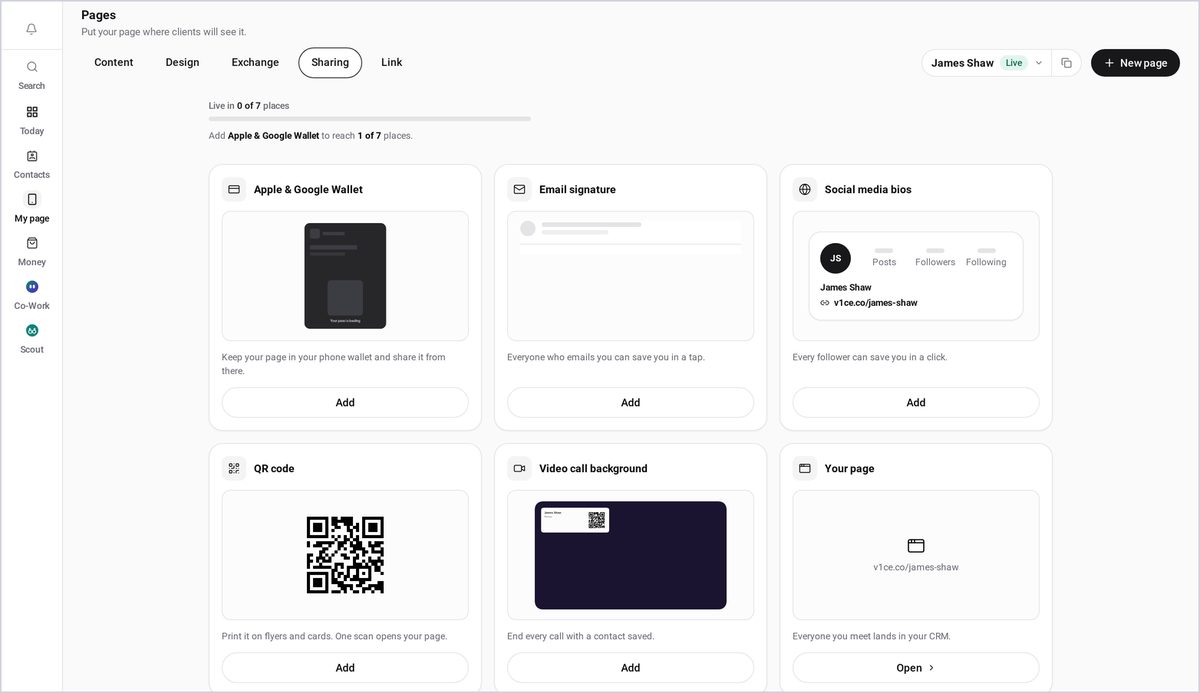
Step 2: Add Social media bios
Find Social media bios, and press Add.
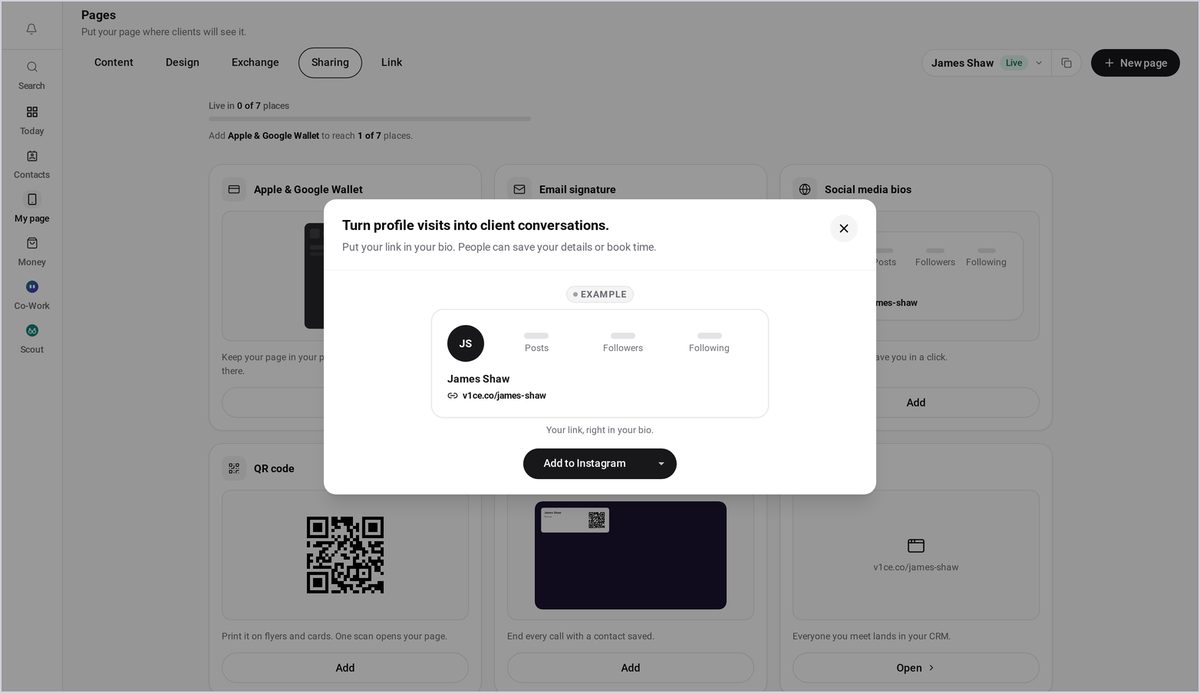
Step 3: Choose Add to Instagram
Choose where to add your link. Start with Add to Instagram. Your link is copied for you. Press Open Instagram. In Instagram, choose Links, then paste your link in. Press Done to save.
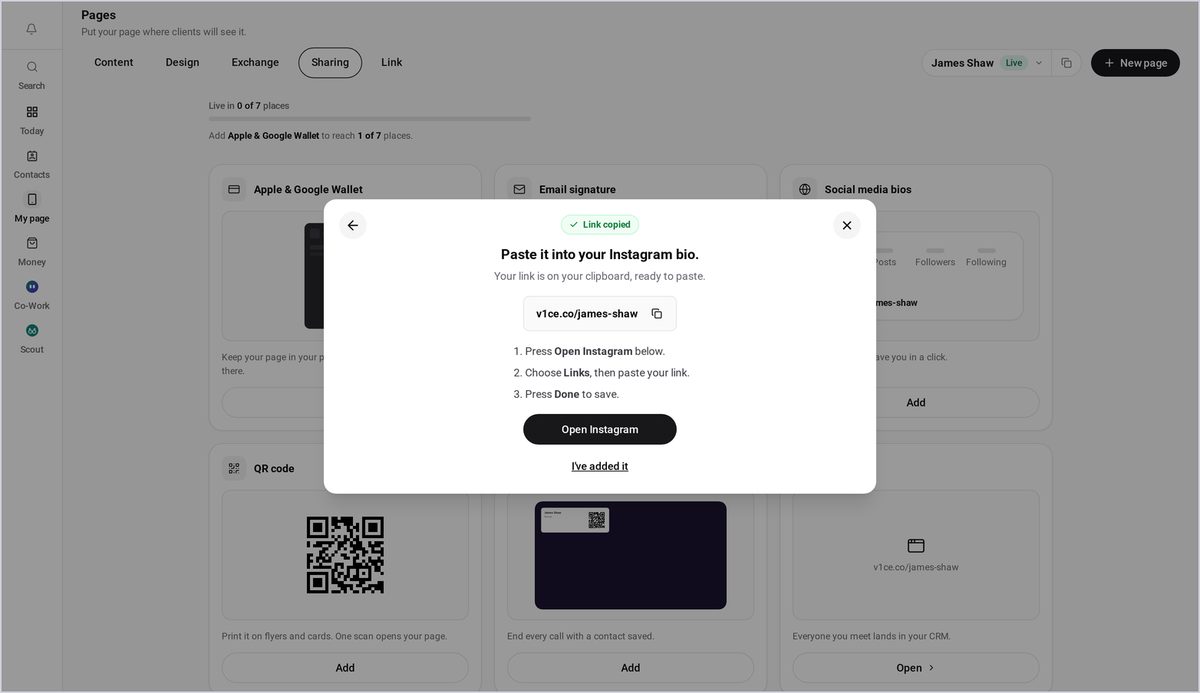
Step 4: Confirm you have added it
Back in V1CE, press I've added it.
Step 5: Add another bio
Now repeat it for another site. Press Add to another bio, and choose Add to LinkedIn.
Good to know
- Your link is copied for you, so you only need to paste it.
- Repeat the steps for LinkedIn and any other site.
Frequently asked questions
Where do I add my V1CE link on Instagram?
In Instagram, choose Links, then paste your link in and press Done to save.
Do I need to copy my link first?
No. Your link is copied for you, so you only need to paste it.
Can I add it to other sites too?
Yes. Press Add to another bio and choose a site such as LinkedIn, then repeat the steps.