How do I export my V1CE data? (GDPR data portability)

To export your V1CE contacts, open Contacts, press Import / Export and choose Export all contacts. You get a CSV you can open in Excel or Google Sheets. For a full GDPR export, email V1CE support.
| Time needed | 1 minute |
|---|---|
| What you need | Your V1CE account |
| Where in the app | Contacts > Import / Export |
You can take your data with you. Exporting your contacts as a CSV takes a few clicks, and it is on every plan. If you need a full copy of everything V1CE holds about you for GDPR, ask V1CE support.
Export your contacts
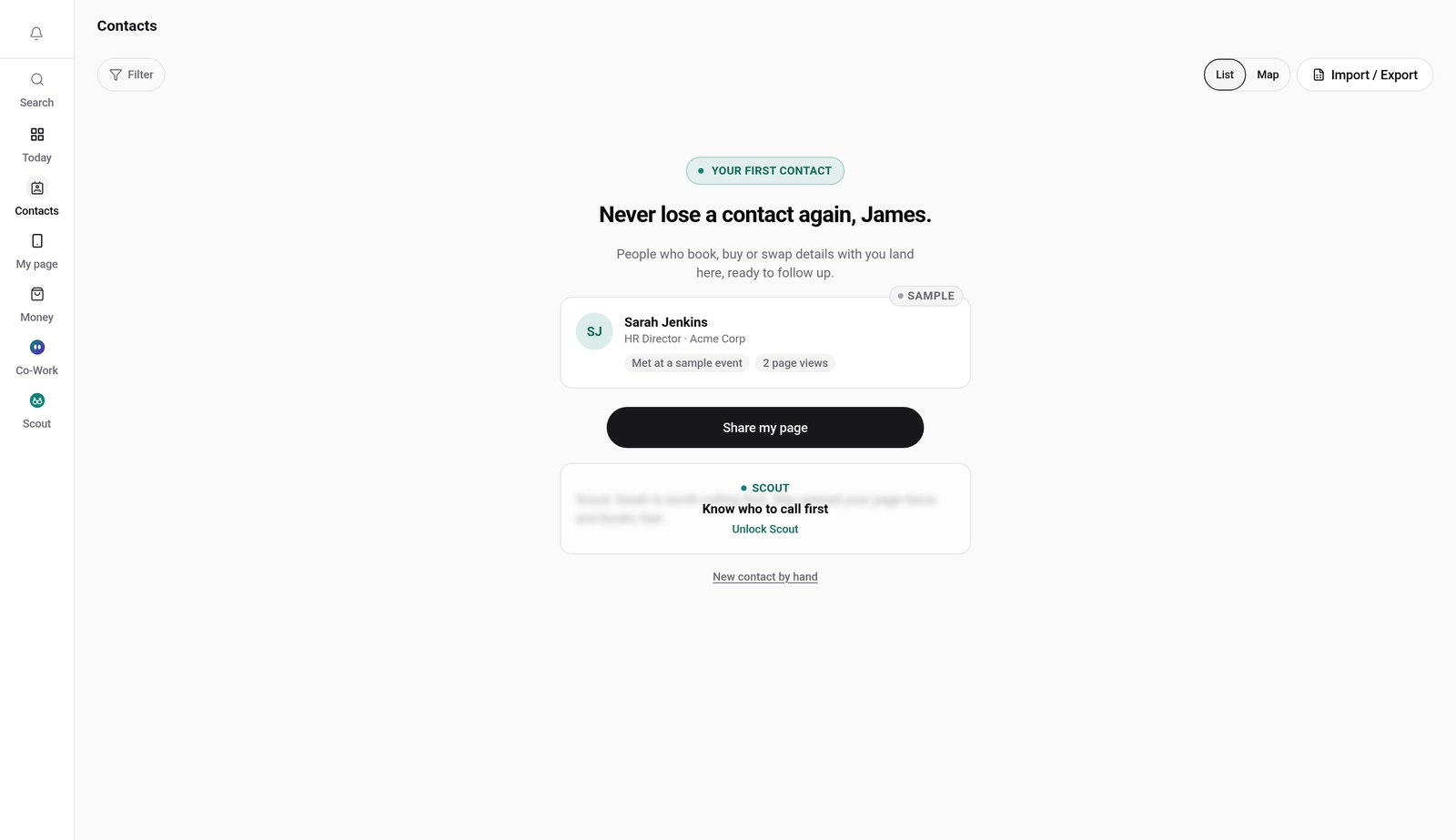
Step 1: Open Contacts
Choose Contacts in the left menu.
Step 2: Press Import / Export
Press Import / Export at the top right. The menu shows an Export section.
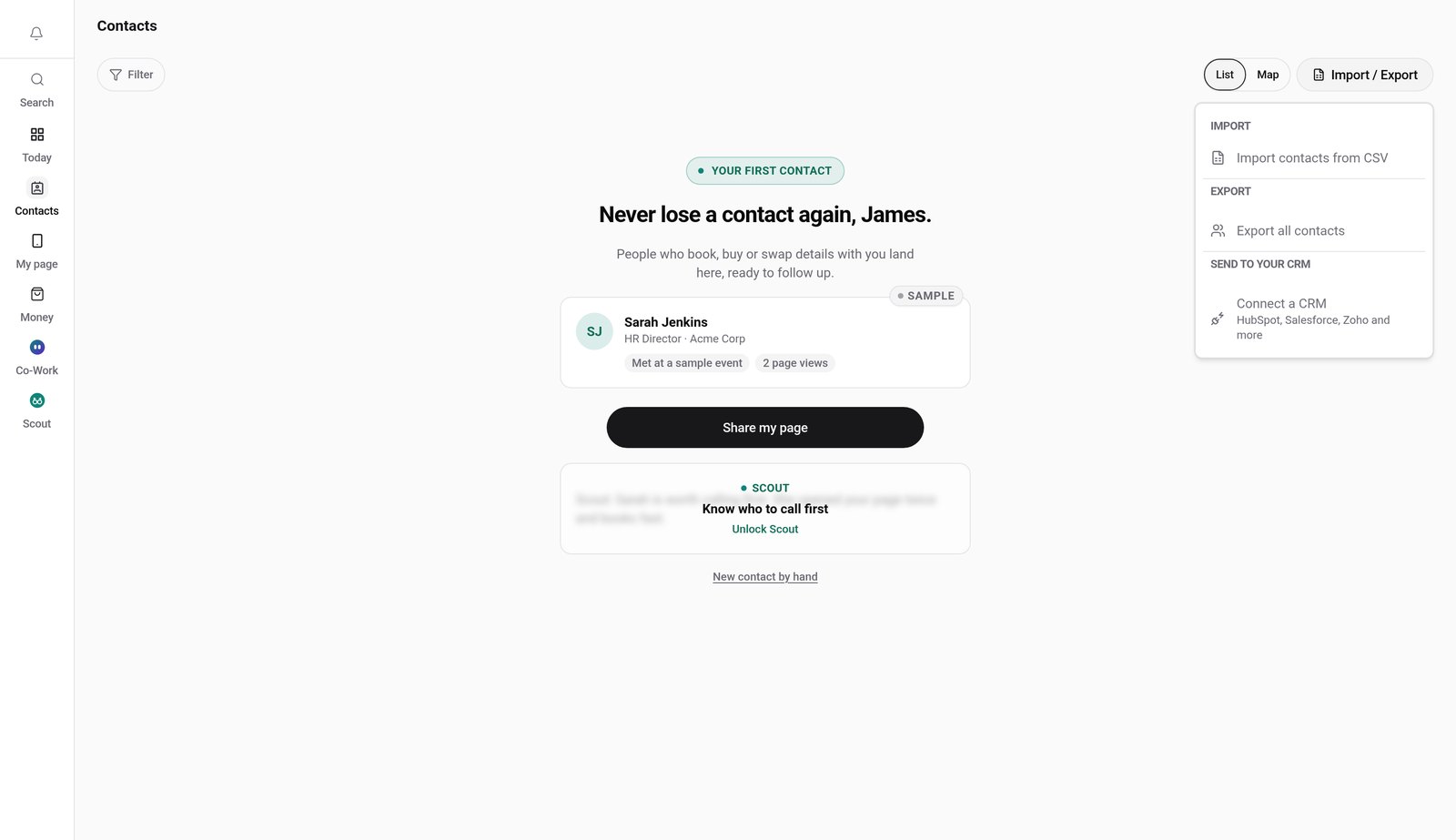
Step 3: Choose what to export
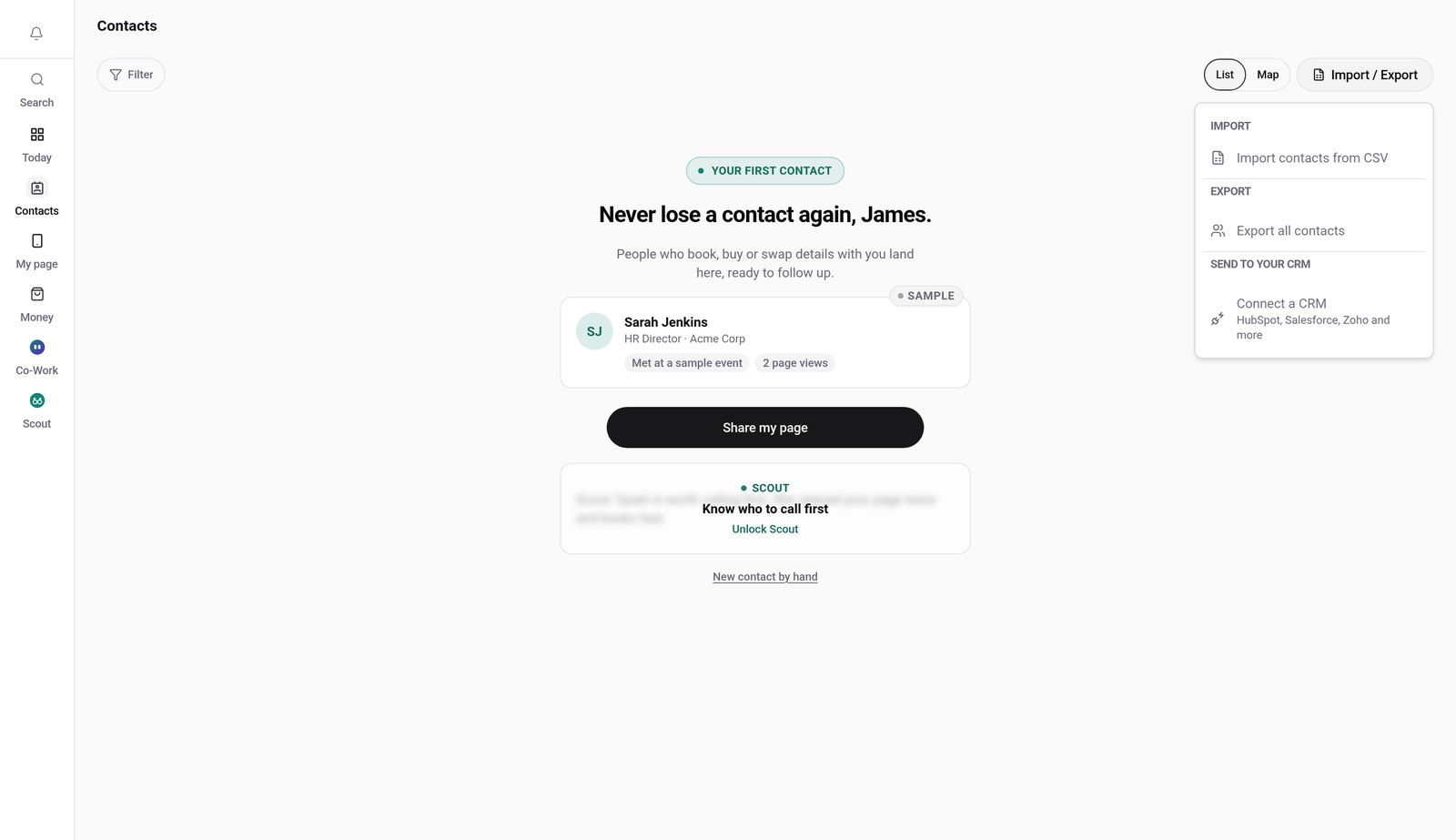
Choose Export all contacts. To export only what your search and filters show, choose Export this view. To export a few people, tick them first and choose Export selected. Your CSV downloads.
Use your file
Open the CSV in Excel, Google Sheets or Numbers, or import it into another CRM.
Full GDPR data export
If you need a full machine-readable copy of all the data V1CE holds about you, covering your GDPR right to data portability, email support@v1ce.co from the email address on your V1CE account. Include your full name, your account email and that you are requesting a GDPR data portability export. V1CE sends it within the legal window: one month, which can extend to three for complex requests.
It covers your profile data, contacts, account settings, billing records, support history and any custom data tied to your account. It does not cover anonymous analytics that do not identify you, security-only system logs, or content created by other users.
Want your data deleted instead?
See the delete account guide below.
Good to know
- CSV export is free on every plan.
- You can also send contacts straight to a connected CRM from the same menu.
Related guides
Frequently asked questions
How do I export my contacts from V1CE?
Open Contacts, press Import / Export and choose Export all contacts. A CSV downloads.
Is exporting contacts free?
Yes. CSV export is available on every plan, including Free Forever.
Can I export only some contacts?
Yes. Use Export this view to export what your search and filters show, or tick contacts and choose Export selected.
How do I get a full GDPR data export?
Email support@v1ce.co from your account email, say you are requesting a GDPR data portability export, and V1CE sends it within the legal window.
What is in a full data export?
Profile data, contacts, account settings, billing records, support history and any custom data tied to your account.
How do I delete my data instead?
Delete your account from Settings. See the delete account guide for the steps.