How can I tell which V1CE software I'm using?

V1CE runs on ClientCapture OS and legacy software. Sign in at app.v1ce.co, check your left menu and the plan in Settings > Billing, or send V1CE support a screenshot of your dashboard.
| Time needed | 1 minute |
|---|---|
| What you need | Your V1CE account |
| Where in the app | app.v1ce.co |
V1CE runs on two systems: the current ClientCapture OS, and legacy software (V1CE Plus, Pro and Teams) for customers who bought before May 2026. The menus are in different places, so knowing which you use means the right steps first time.
Check in three quick steps
Step 1: Look at your left menu
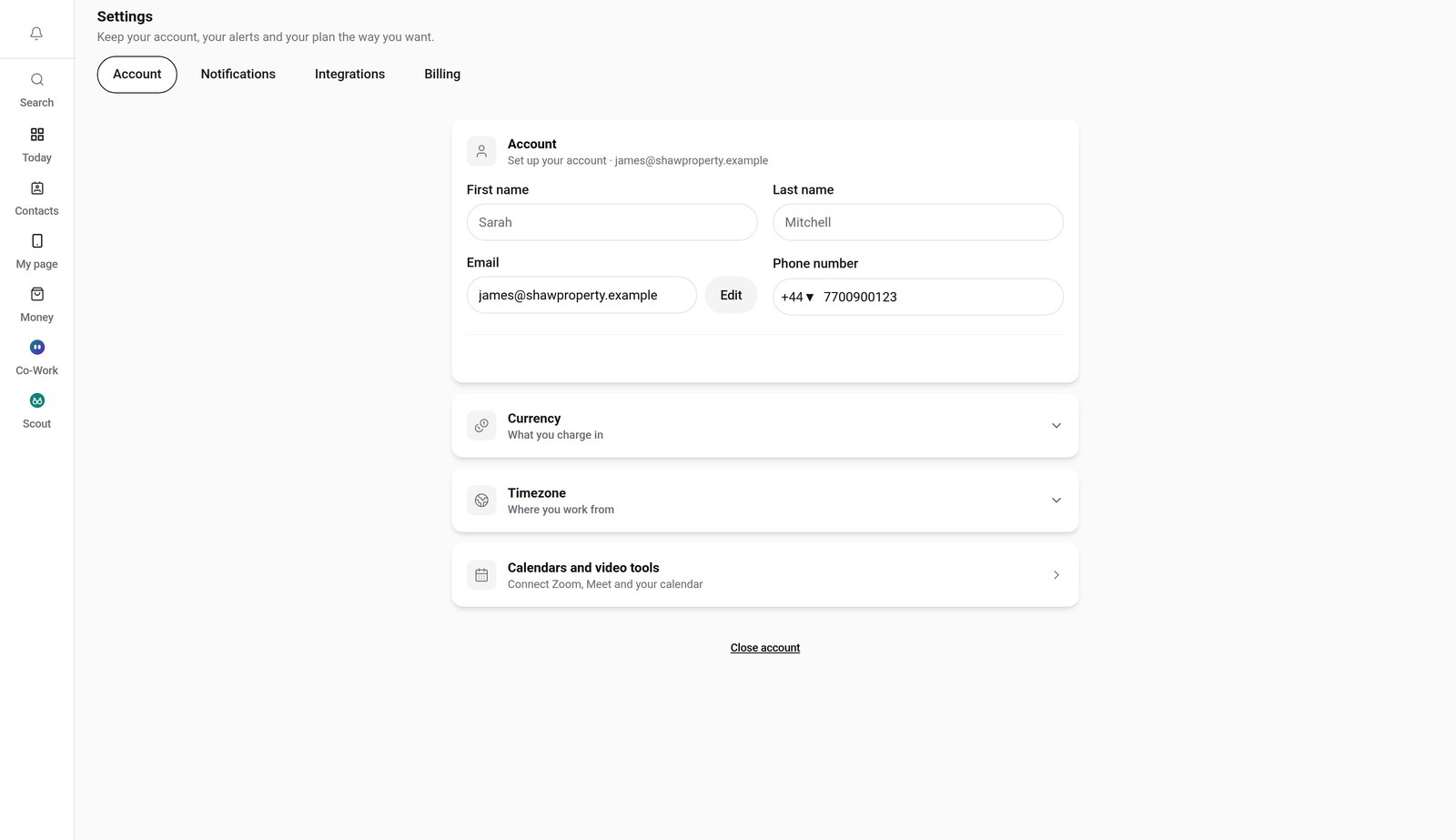
Sign in at app.v1ce.co. On ClientCapture OS, the left menu shows Search, Today, Contacts, My page, Money, Co-Work and Scout. Legacy software has an older layout with a link switcher at the top.
Step 2: Check your plan in Settings
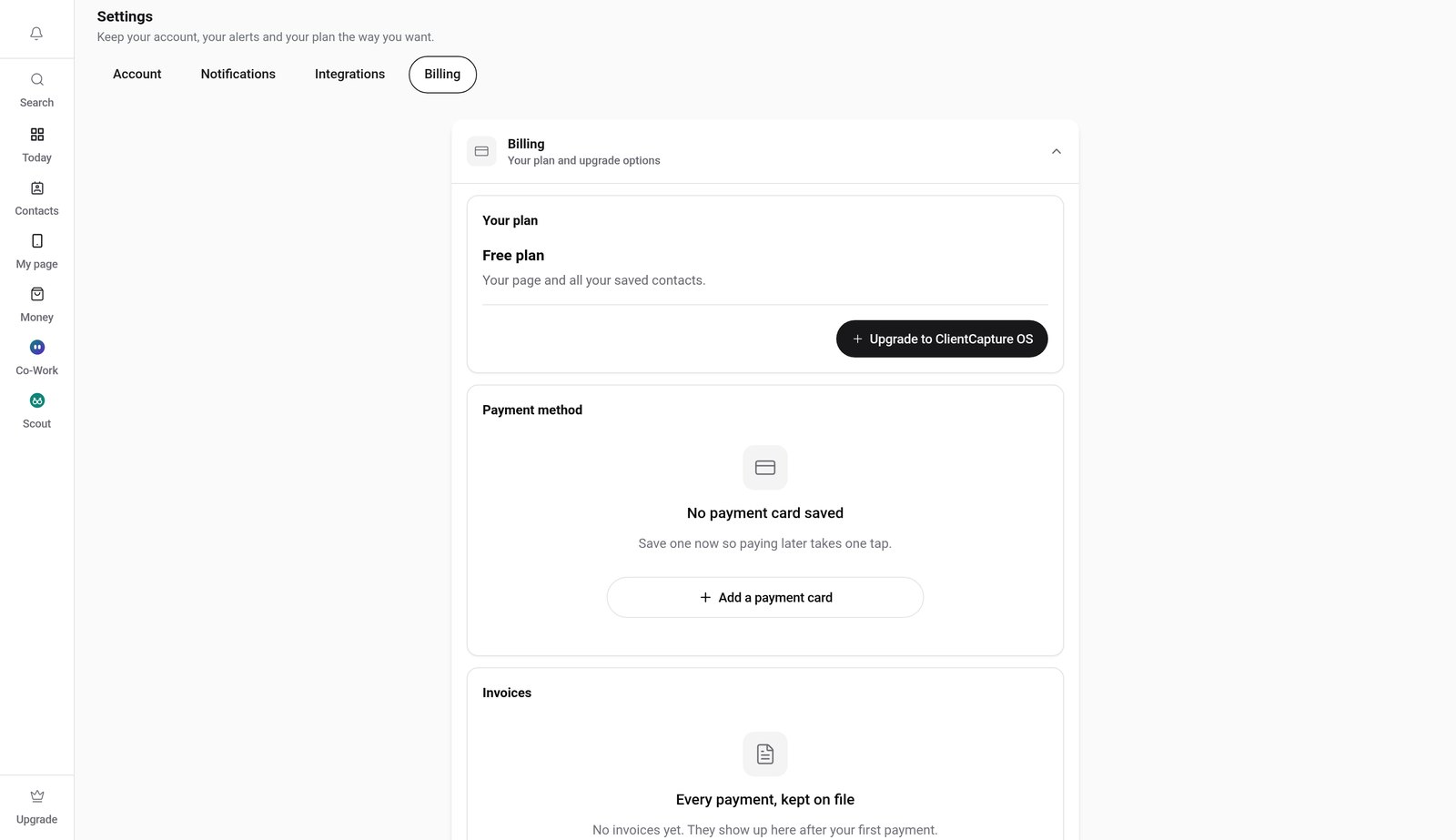
Click your profile picture at the top left, choose Settings and open the Billing tab. ClientCapture OS shows as the plan name. Legacy shows V1CE Plus, Pro or Teams.
Step 3: Still not sure? Send a screenshot
Take a screenshot of your dashboard home page and send it to V1CE support. They confirm which system you are on in one message.
If you bought before May 2026
You are most likely on legacy V1CE Plus, Pro or Teams. V1CE keeps legacy plans running, so you do not need to switch unless you want the newer features.
Good to know
- Steps in V1CE guides usually match ClientCapture OS. Legacy menus can differ.
- See the plans guide below to compare what each includes.
Related guides
Frequently asked questions
How do I know if I am on ClientCapture OS?
Your left menu shows Search, Today, Contacts, My page, Money, Co-Work and Scout, and Settings > Billing shows ClientCapture OS as your plan.
How do I know if I am on legacy V1CE?
Legacy has an older layout with a link switcher at the top, and refers to V1CE Plus, Pro or Teams in the menu and settings.
Where do I see my plan?
Click your profile picture at the top left, choose Settings and open the Billing tab.
I bought before May 2026. Which am I on?
Most likely legacy Plus, Pro or Teams. V1CE keeps those running, so you can carry on as you are.
Why does it matter which one I use?
The menus are in different places, so steps for one may not match the other.
Who can confirm it for me?
Send V1CE support a screenshot of your dashboard home page and they will tell you.