How do I get an invoice, receipt, VAT statement, or W9?

To get a V1CE invoice, open Settings > Billing and press Download next to the payment you need. For your company name or VAT number on an invoice, a W-8BEN or W9, or vendor documents, contact V1CE support.
| Time needed | 1 minute |
|---|---|
| What you need | Your V1CE account |
| Where in the app | Settings > Billing > Invoices |
Every payment has an invoice you can download yourself. If your accounts team needs your company name, a VAT number or a tax form on it, V1CE support sorts that for you.
Download an invoice
Step 1: Open Billing
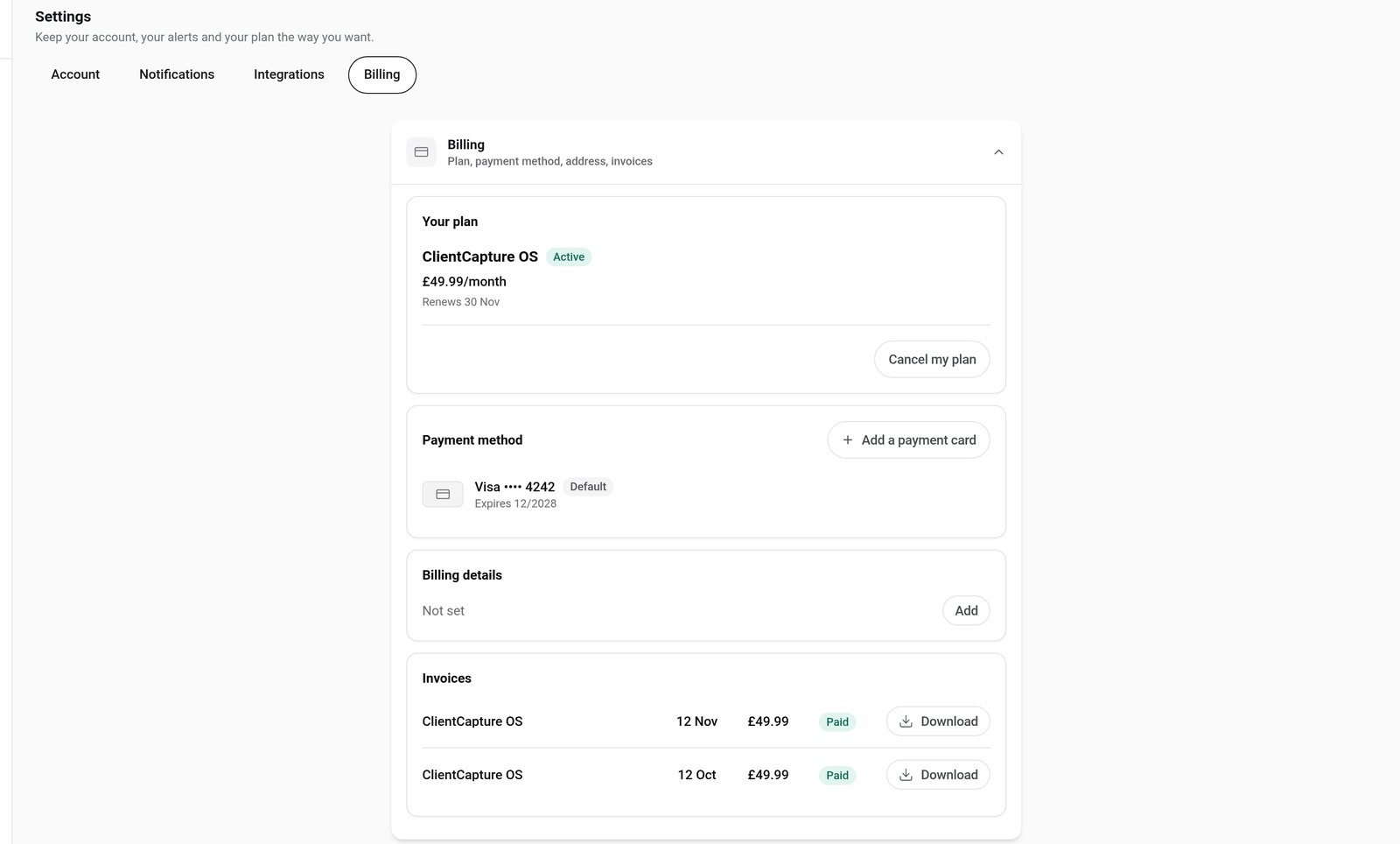
Click your profile picture, choose Settings, then open the Billing tab and scroll to Invoices.
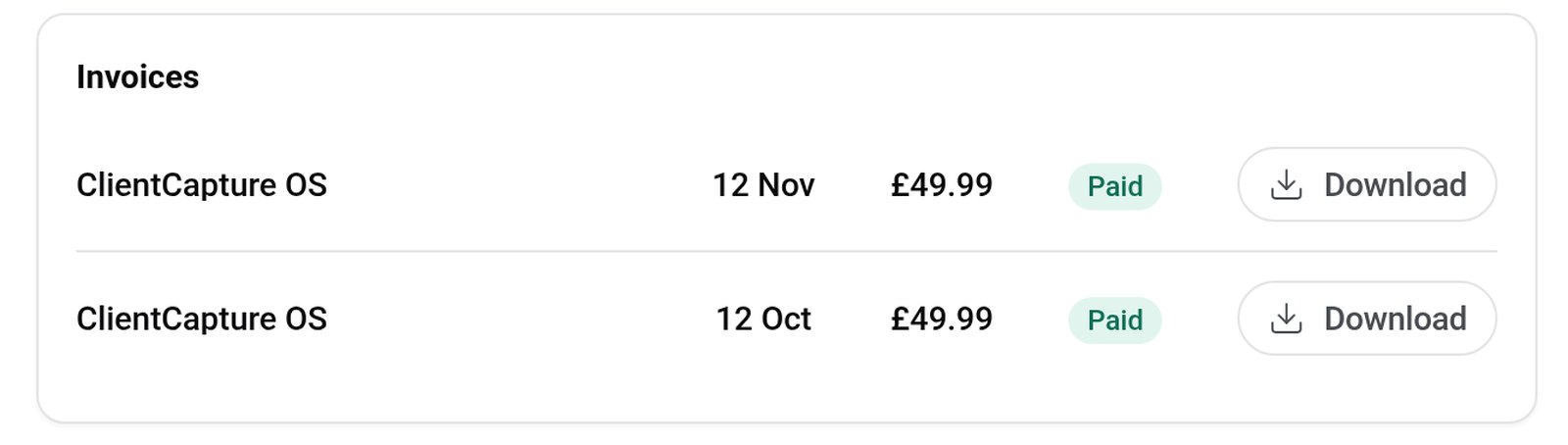
Step 2: Press Download
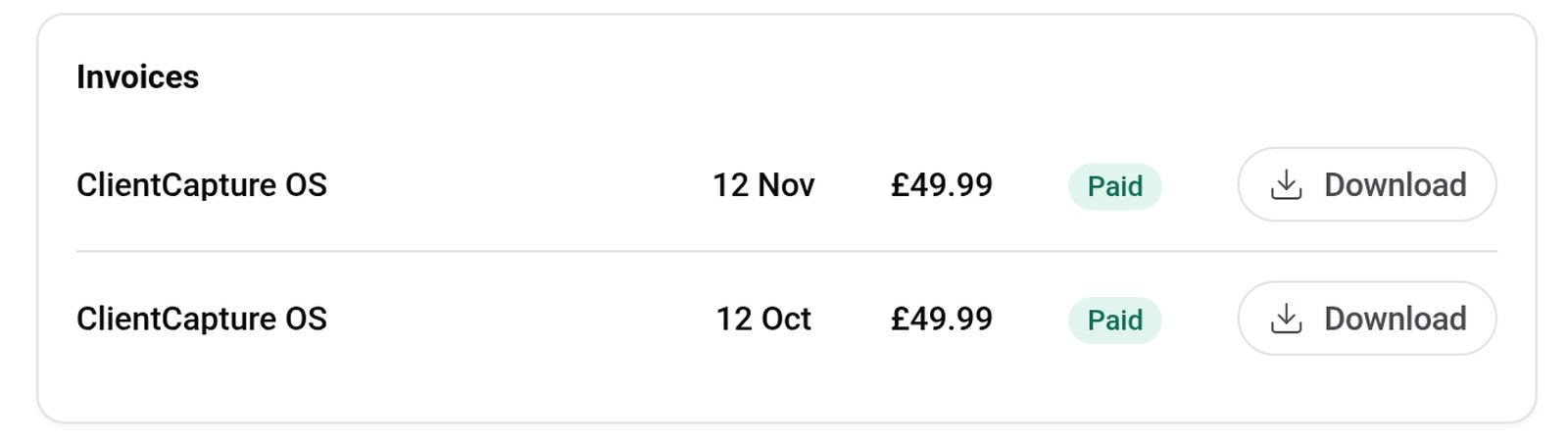
Each row shows the date, amount and status. Press Download next to the one you need. It shows the total, payment date and V1CE company details.
Add your billing address
Step 3: Set your billing details
Under Billing details, press Add and enter your address so it is on your invoices.
Company name, VAT number or tax forms
Contact V1CE support with the invoice number, your company name as it should appear, your billing address and your VAT or tax number. We email a reissued invoice, usually within one working day.
- W-8BEN or W9: ask V1CE support. V1CE is UK-registered, so W-8BEN is the usual form for US customers. We send a W9 only if your finance team needs one.
- Vendor onboarding: we can supply a bank letter or voided cheque and complete your new-vendor form.
- Proforma invoice or BACS: contact V1CE support with your order details, and we send a proforma with bank details.
Currency
V1CE charges in GBP. Your bank converts to your currency at its own rate, so use your bank statement for the converted amount.
Good to know
- Invoices for physical card orders are covered in the order history guide below.
- Payments are in GBP.
Related guides
Frequently asked questions
How do I download a V1CE invoice?
Open Settings > Billing, scroll to Invoices and press Download next to the payment you need.
How do I add my VAT number to an invoice?
Contact V1CE support with the invoice number, company name, billing address and VAT number. We email a reissued invoice, usually within one working day.
Can I get a W9 or W-8BEN?
Yes. Ask V1CE support. V1CE is UK-registered, so W-8BEN is the usual form for US customers, and we send a W9 if your team needs one.
Can I pay by BACS or bank transfer?
For larger orders, yes. Contact V1CE support with your order details and we send a proforma invoice with bank details.
What currency are V1CE invoices in?
GBP. Your bank converts to your local currency, so use your statement for the converted amount.
Where is my invoice for a card order?
Physical card orders are in your order history. See the order history guide.