How to add your story to your page

To add your story, open My page, then Pages, click Add a block and choose Your story. Add a title, such as About Me, write a few lines about who you are and what you do, then click the back arrow to save.
| Time needed | 1 minute |
|---|---|
| What you need | Your V1CE account |
| Where in the app | My page > Pages > Add a block > Your story |
Video transcript and chapters
Chapters
0:00 Introduction
0:08 Open My page
0:16 Find Your story
0:19 Add your title
0:23 Write your story
0:29 Save and see it on your page
0:33 You're done

Transcript
Tell visitors a little about who you are and what you do.
Add a Your Story block, give it a title, and write a few lines.
Open my page, then Pages.
Scroll to the bottom of your page and click Add a block.
Find your story in the list and click it.
Click the title and type your own, for example, about me.
Click the content box and tell visitors a little about who you are and what you do.
Click the back arrow to save. Your story now shows on your page.
That's how to add your story to your page.
Tell visitors a little about who you are and what you do.
Add a Your story block, give it a title, and write a few lines.
Watch the video
Follow the steps
Step 1: Open My page
Open My page, then Pages.
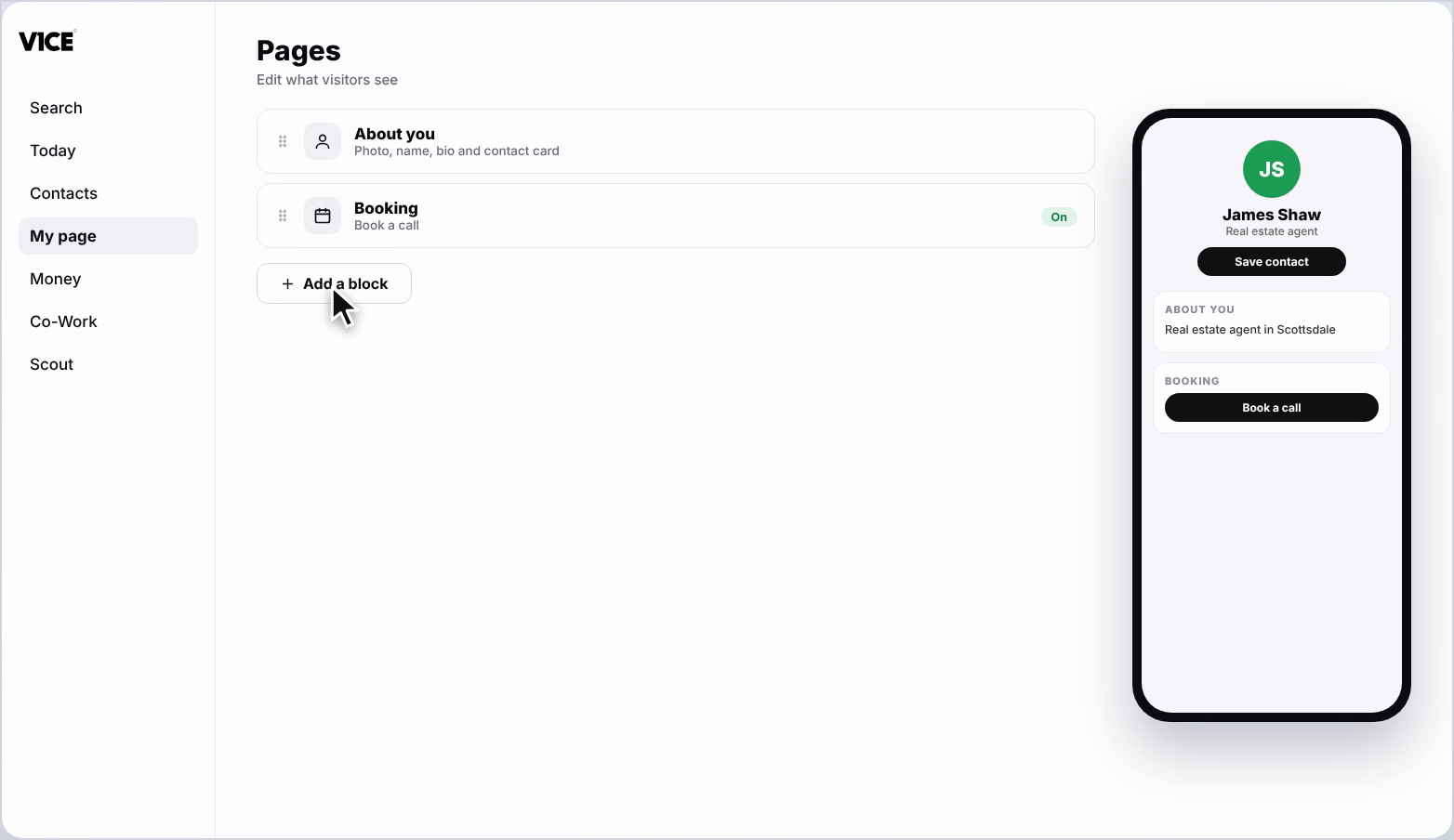
Step 2: Click Add a block
Scroll to the bottom of your page and click Add a block.
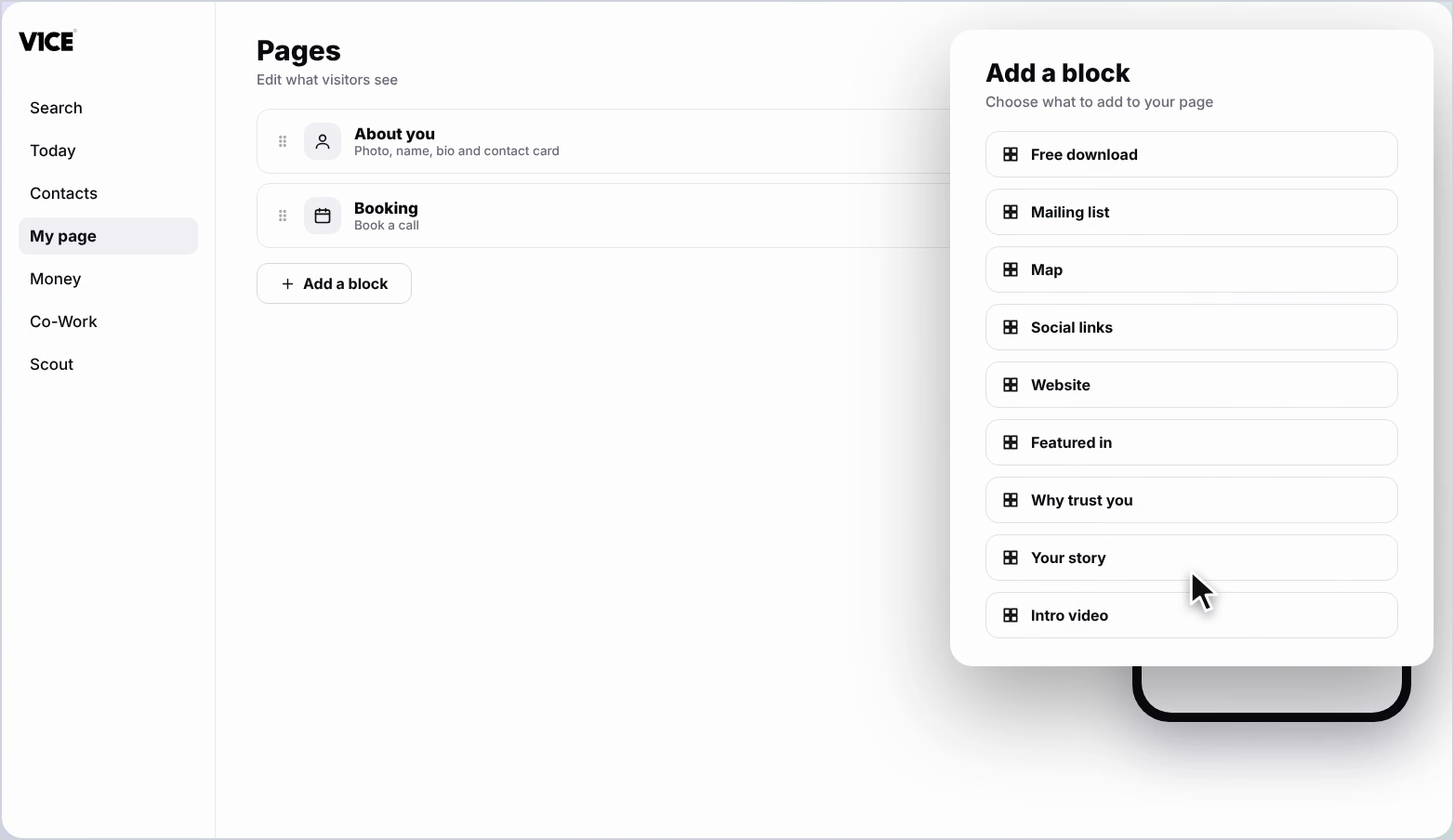
Step 3: Find Your story
Find Your story in the list and click it.
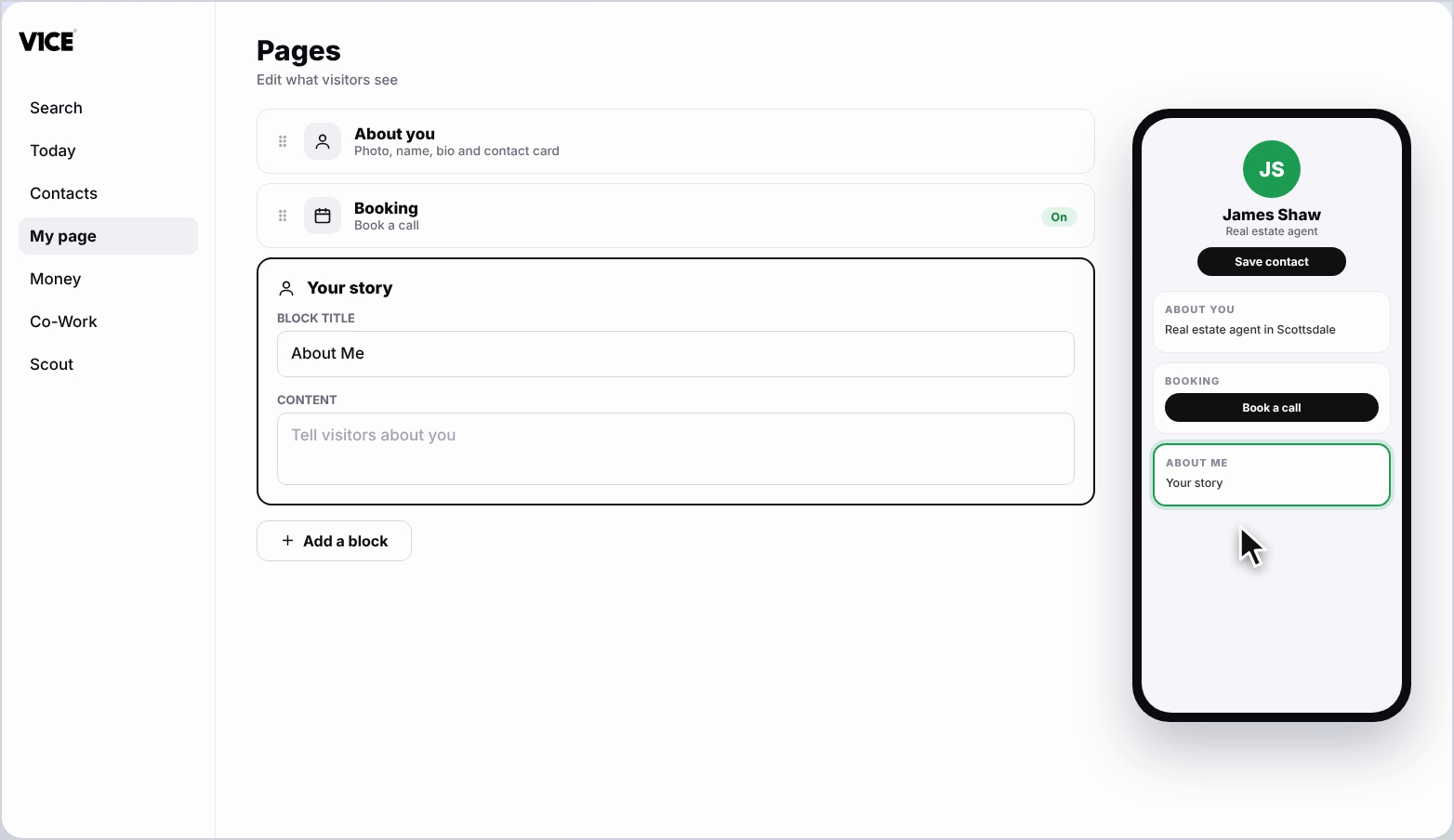
Step 4: Add your title
Click the Title and type your own, for example About Me.
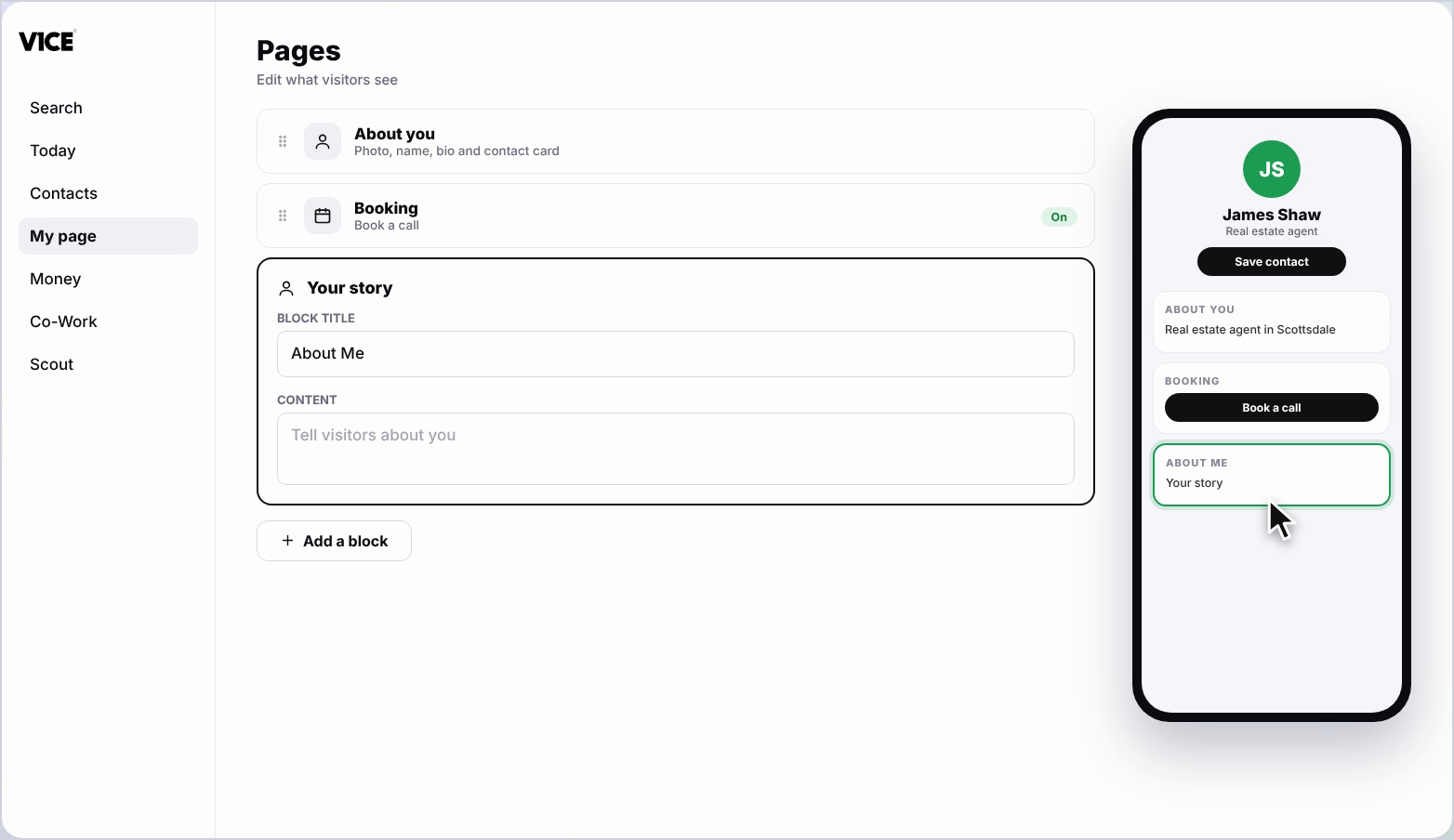
Step 5: Write your story
Click the Content box and tell visitors a little about who you are and what you do.
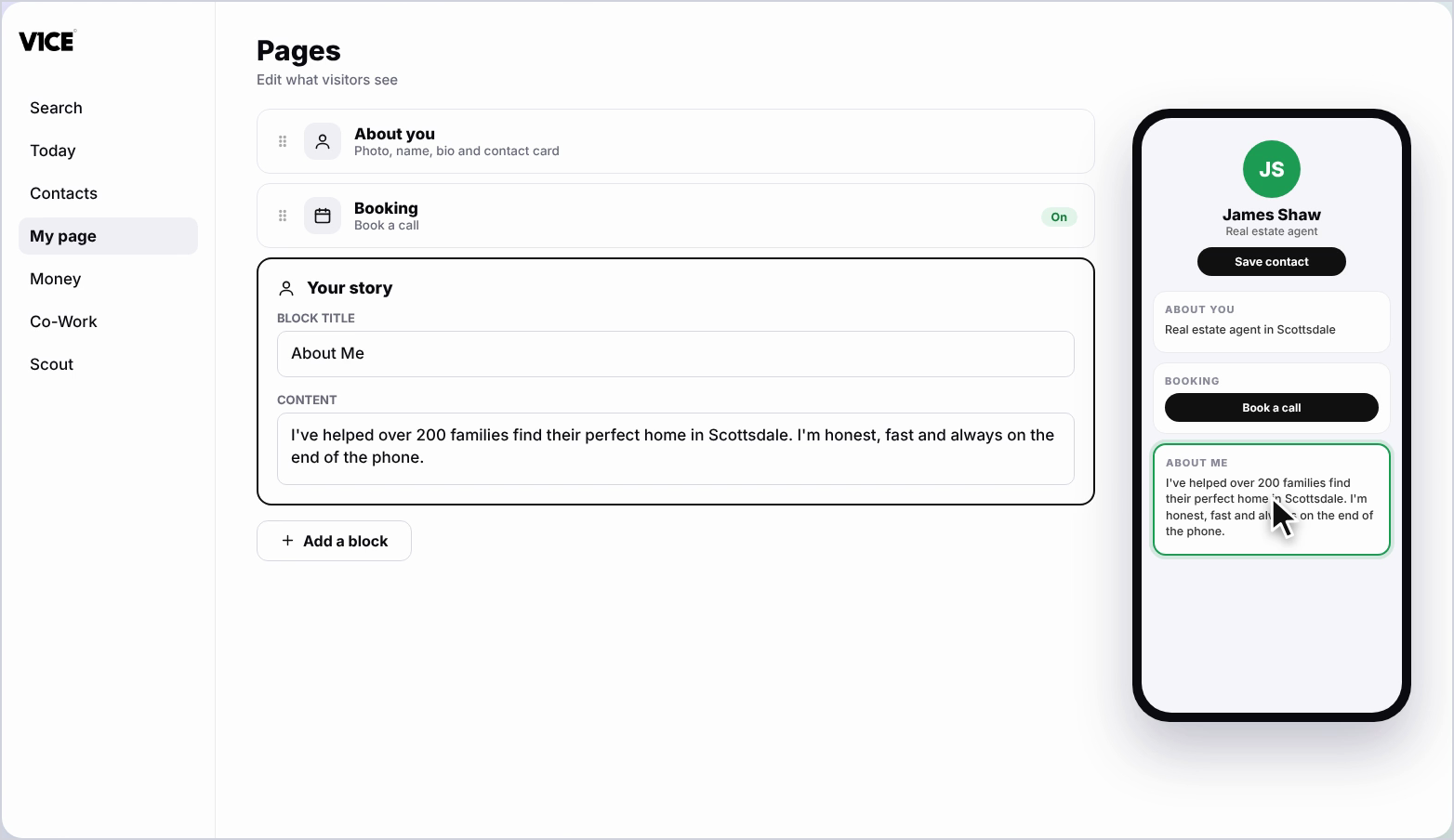
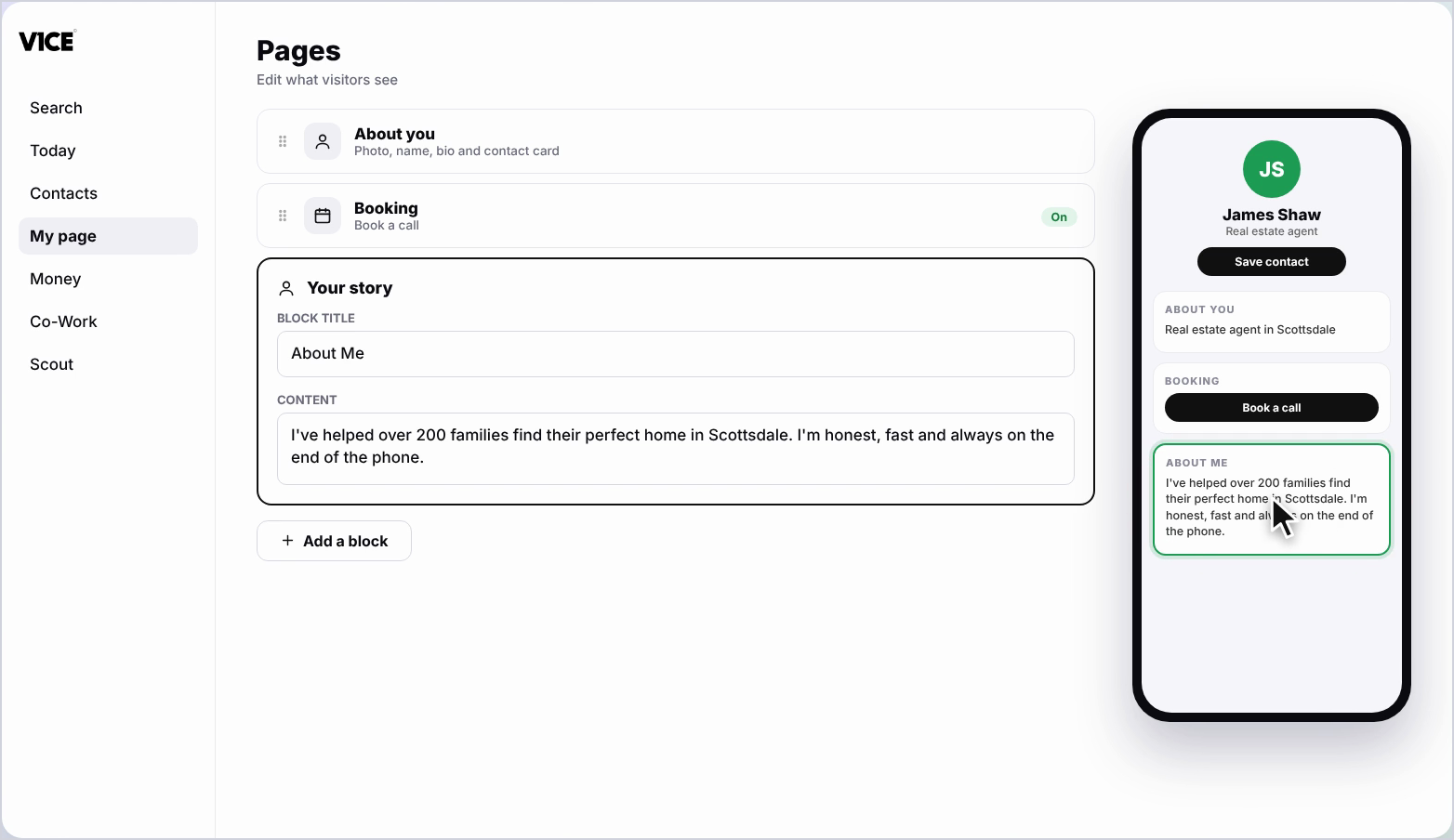
Step 6: Click the back arrow to save
Click the back arrow to save. Your story now shows on your page.
Frequently asked questions
How do I add my story to my V1CE page?
Click Add a block, find Your story and click it. Add a title, then tell visitors a little about who you are and what you do in the Content box.
What title should I use?
Type your own, for example About Me.
How do I save my story?
Click the back arrow to save. Your story now shows on your page.